.png?w=1200&h=300)
CRAFTSMM | How to Download Your Product List
Follow the steps below to export the products and quantities you have selected into an Excel file.
The downloaded product list is not a confirmed order or Proforma Invoice. Your dedicated sales representative or manager will confirm the final product details, quantities, pricing, shipping and other order information with you.
Add the products to your cart
Browse our wholesale catalog and add all the products you are interested in to your shopping cart. Please also select the required quantity for each product.
Open your shopping cart
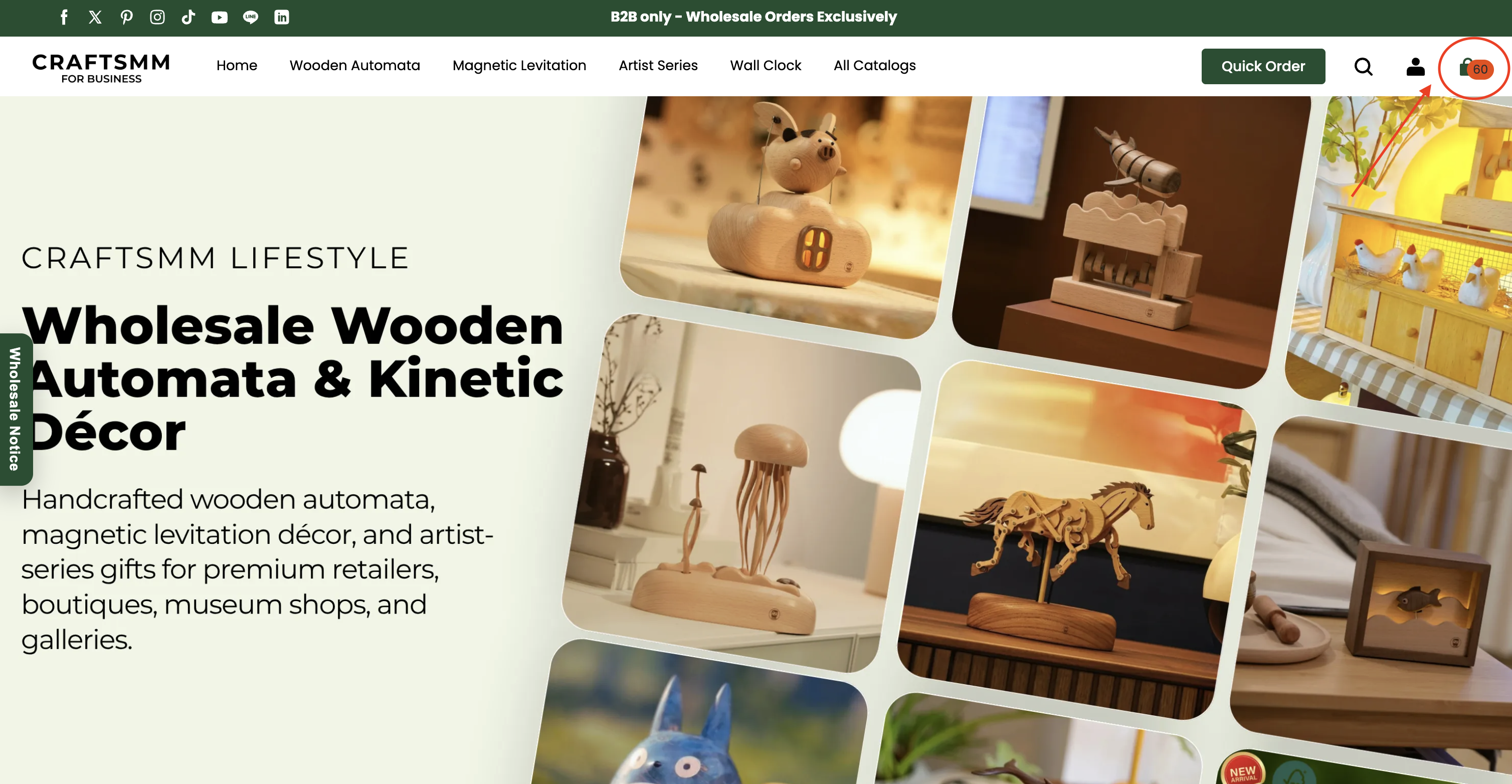
After adding all your selected products, click the shopping cart icon in the top-right corner of the website.
Scroll down to the download button
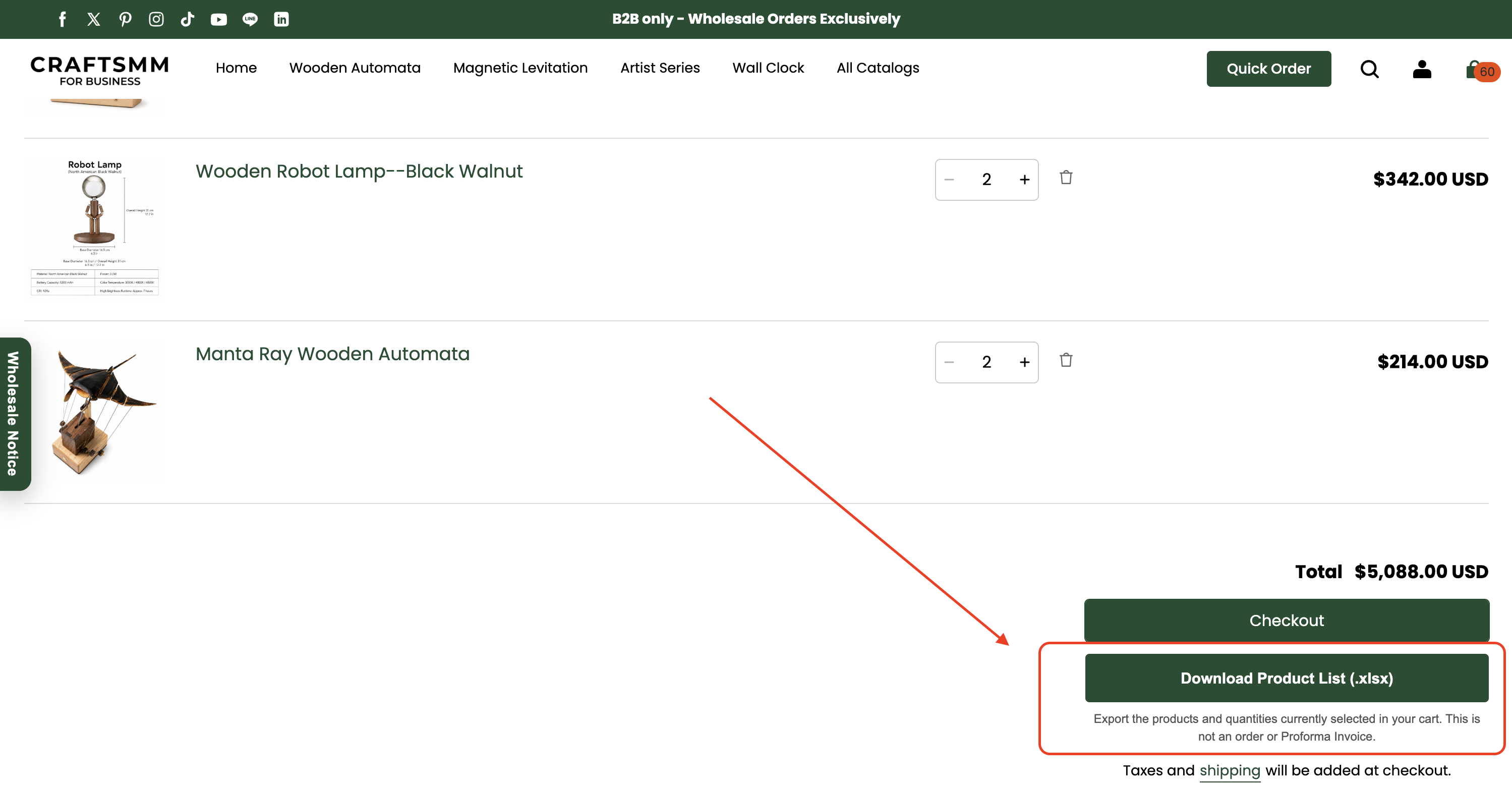
On the cart page, review the selected products and quantities. Then scroll down until you see the “Download Product List (.xlsx)” button.
Download the Excel product list
Click “Download Product List (.xlsx)” to export the products and quantities currently in your cart.
The file may take a few moments to generate. Please be patient and do not close or leave the page while the download is being prepared.
Send the file to your CRAFTSMM contact
Once the Excel file has been downloaded, send it by email or WhatsApp to the CRAFTSMM sales representative or manager assisting you.
They will review the list with you, confirm the order details and assist with any questions or changes related to your order.
All official CRAFTSMM email addresses end in @craftsmm.com. Before sending your product list, please check the recipient’s email address carefully to avoid disclosing your information to an unauthorized recipient.
We’re here to support you
If you need assistance or would like to share feedback, please contact our support team directly.
support@craftsmm.com